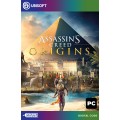


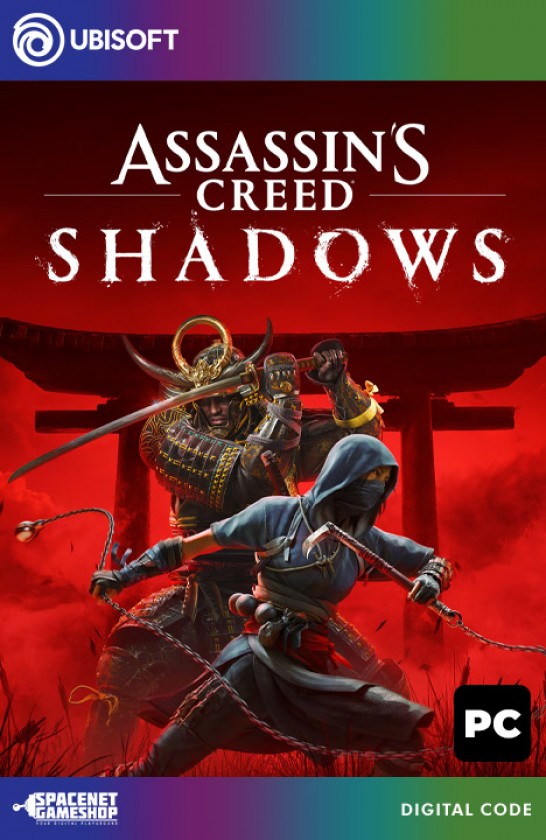
Assassins Creed Shadows Uplay CD-Key [EU]
Product Code: PC
Availability:In Stock
Availability:In Stock

Description
ACTIVATION
1. Download and install the Uplay program
2. Start Uplay.
3. Sign in to your existing account or register.
4. On the top horizontal bar of the menu, select "GAMES" and click the "Activate Product" button.
5. Enter the game activation key in the "Product Activation" box. Make sure that the input is correct and click "OK".
6. The Uplay system will show you which game to activate. If you agree, click "Activate".
7. The game is now activated and added to your library.
8. To download and install the game itself - click on the game image and select "Download game" from the game list.
DECLARATION: Digital product - Ubisoft Connect platform - Ubisoft Entertainment SA, France
Specification
| Digital Product Information | |
| Platform | Ubisoft Connect |
Reviews (0)
Write a review
Your Name:Your Review: Note: HTML is not translated!
Rating: Bad Good
Enter the code in the box below:
Recently Viewed
 Elden Ring Steam CD-Key [GLOBAL]
60.63 $
 The Sims 4 & Island Living Bundle EA App Origin CD-Key [GLOBAL]
51.30 $
 Wolfenstein: The Old Blood Steam CD-Key [GLOBAL]
7.45 $
 It Takes Two EA App Origin CD-Key [GLOBAL]
37.31 $
 Total War: Rome Remastered Steam CD-Key [GLOBAL]
27.98 $
 The Sims 4: Get Famous DLC EA App Origin CD-Key [GLOBAL]
27.98 $
 Battlefleet Gothic Armada II 2 Steam CD-Key [GLOBAL]
18.65 $
 Nioh 2 - The Complete Edition Steam CD-Key [GLOBAL]
37.31 $
 Cities: Skylines II 2 Steam CD-Key [GLOBAL]
55.96 $
You may also like